

MyHealth@EU Laboratory Report
9.2.0 - trial-use
150
MyHealth@EU Laboratory Report
9.2.0 - trial-use
150
MyHealth@EU Laboratory Report - Local Development build (v9.2.0) built by the FHIR (HL7® FHIR® Standard) Build Tools. See the Directory of published versions
This guide:
The following figure shows how the eHN guidelines, MyHealth@EU Functional Requirements and HL7 FHIR specifications are documented through the different used HL7 FHIR IGs.
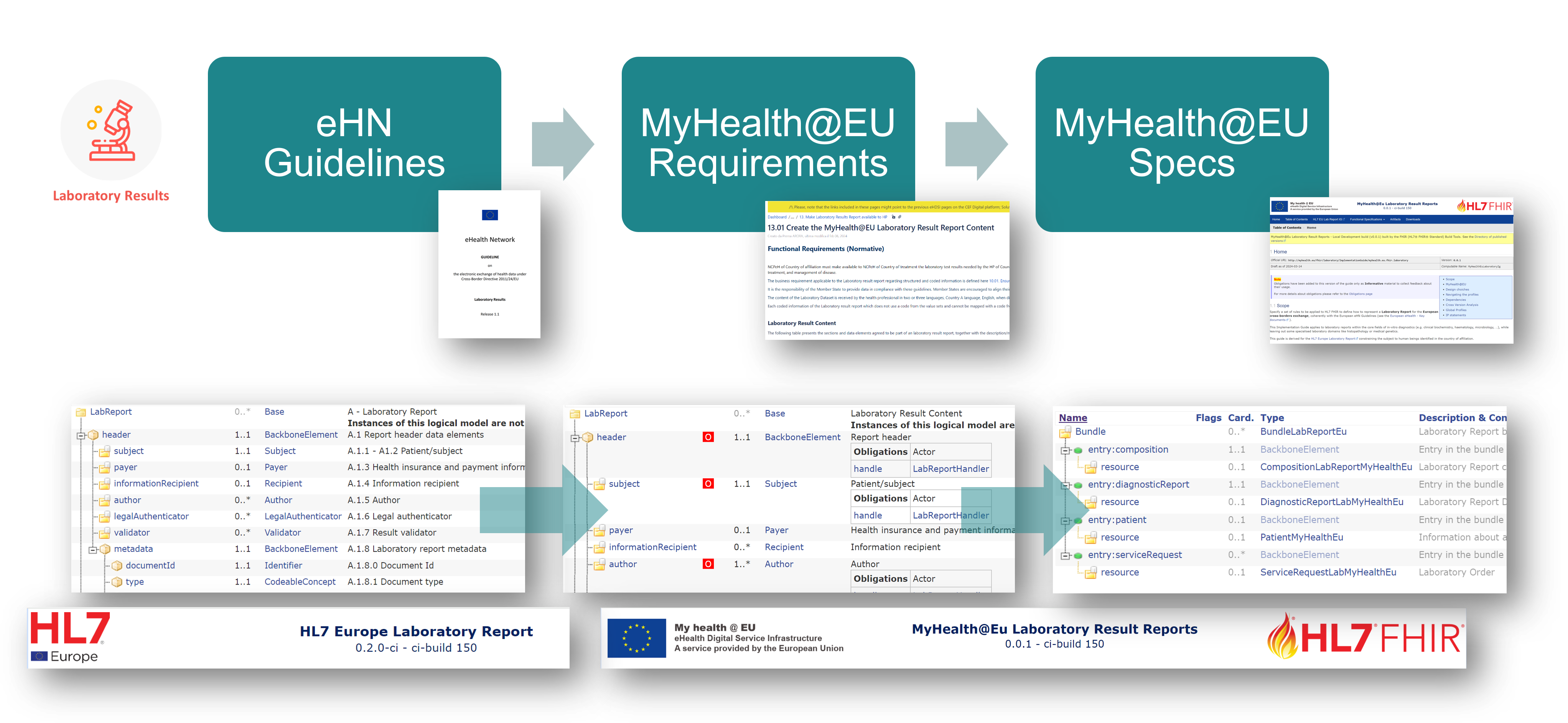
Figure 1 - From the eHN guidelines to the MyHealth@EU specifications
The eHN guidelines are documented in the HL7 Europe Laboratory Report as HL7 FHIR Logical Models, including how this data set is implemented in HL7 FHIR; while this guide documents cross-border requirements and associated profiles.
This guide includes three main kinds of content (see figure below)
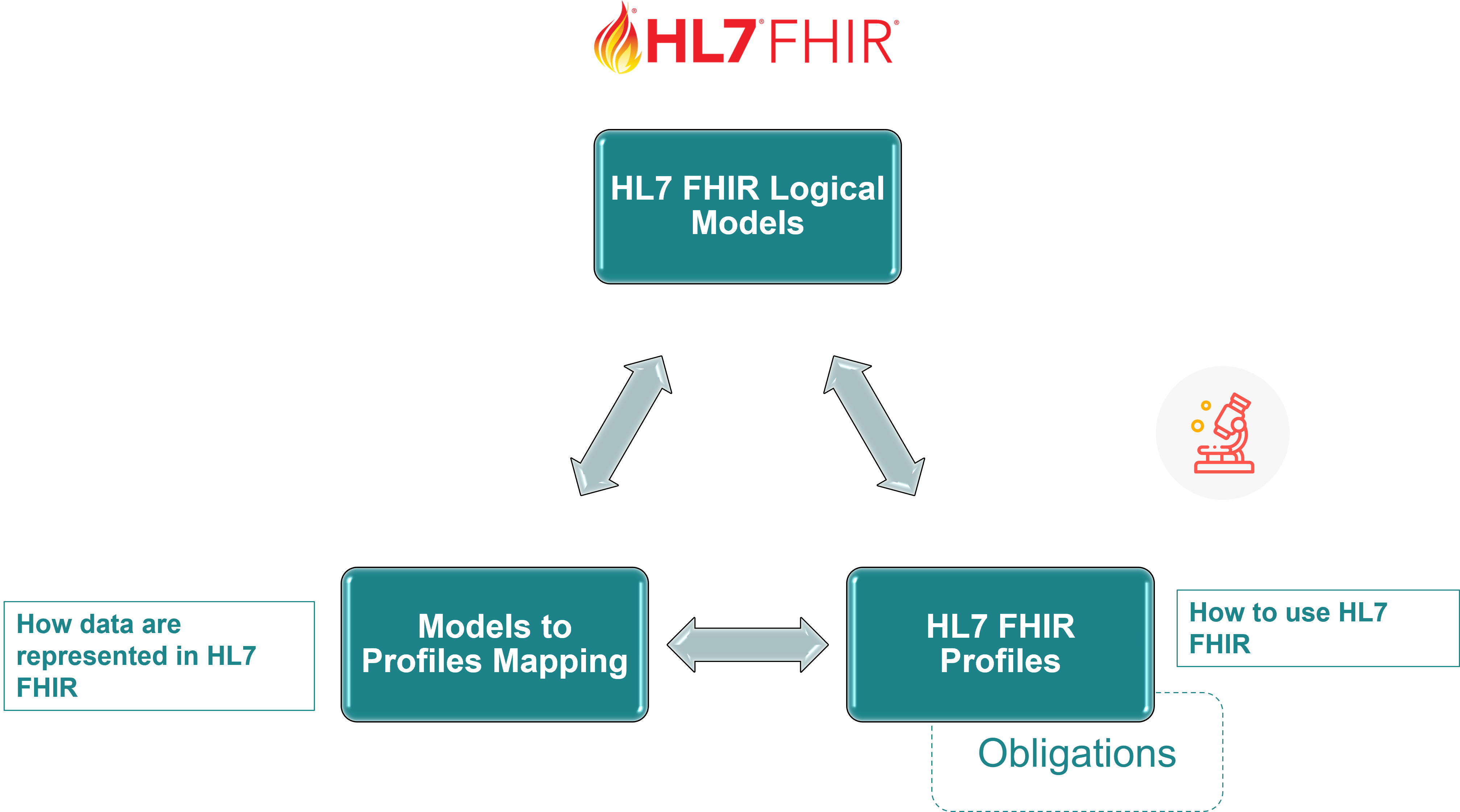
Figure 2 - Guide Content
The design choices adopted for representing MyHealth@EU Functional Requirements are described in the MyHealth@EU Laboratory Models Overview page; those used for HL7 FHIR Conformance Resources and the mapping tables are described below.
Most of the design choices adopted by this guide are detailed in the parent guide HL7 EU Laboratory Report Design choices page.
A detailed description on how to read HL7 FHIR Implementation Guides is provided in the Reading Implementation Guides guide.
This guide uses obligations on the logical models to highlight the elements identified by the MyHealth@EU Functional Requirements. Three types of obligations are defined based on the MyHealth@EU requirements perspective:
These obligations are implemented using the following rule sets:
ObligationMandatory - SHALL:handle for mandatory elementsObligationRequired - SHOULD:handle for required elementsObligationOptional - MAY:able-to-populate for optional elementsImportant: Any data element that carries a defined obligation (whether mandatory, required, or optional) and is present in the document must be displayed by consuming systems. Technical metadata without a defined obligation (such as internal resource IDs) is excluded from this requirement.
Implementers should be aware of the differences in the design of HL7 FHIR and HL7 CDA. This explains the different approaches followed on the way mandatory, required, or optional elements are represented in the implementable specification.
In HL7 CDA, unless explicitly flagged otherwise, elements can be always nullflavored. This is not what is expected to be done in general in HL7 FHIR, where there is not a nullFlavor attribute and the "1.." cardinality is supposed to be used only for the mandatory elements.
For this reason required fields are not necessarily mapped into "1.." elements, unless it has been decided otherwise and the data-absent-reason extension used.
This guide uses simple mapping tables to formalise the models to profiles forward mapping.
These tables provide a clear, readable format showing how logical model elements map to specific FHIR paths, along with relevant comments and constraints. The mapping tables are organised by model type and can be found in the Mapping to Profiles page.
IG © 2023+ MyHealth@EU. Package myhealth.eu.fhir.laboratory#9.2.0 based on FHIR 4.0.1. Generated 2026-10-22
